Flatpak Manager ▲
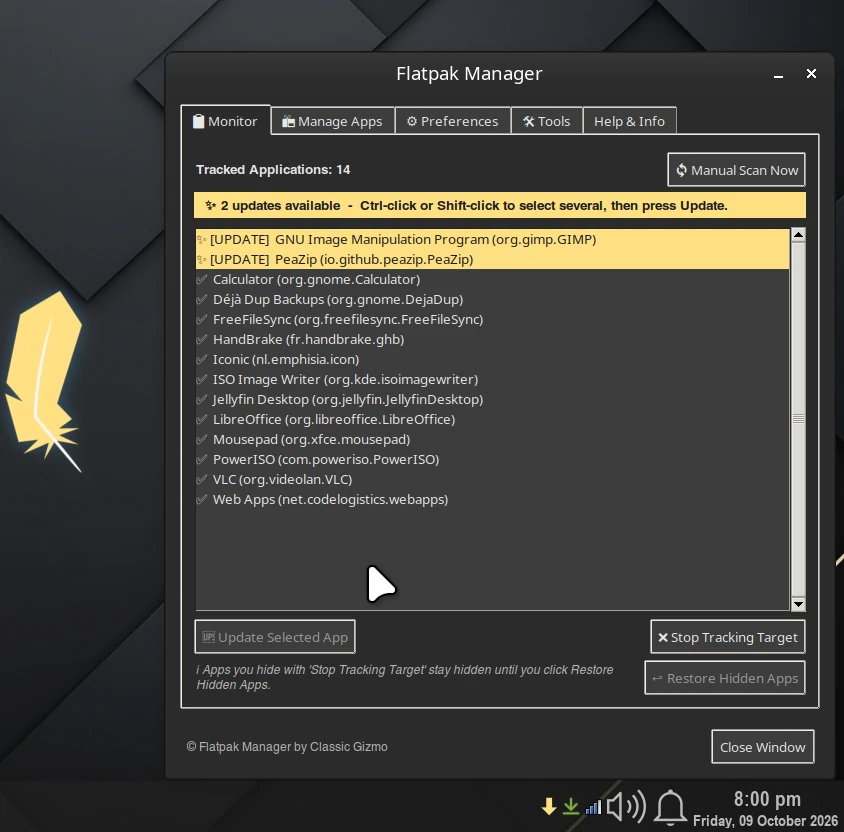
A friendly tray app for your Flatpak apps. The arrow turns gold when updates are waiting, and one window lets you update, install, remove and clean up – no terminal needed.
Choose how to install
Pick one method. They are alternatives, not additions.
Ubuntu, Linux Mint, Linux Lite, Debian and relatives updates with your system
Run these three commands once:
curl -fsSL https://dl.classicgizmo.com/apt/classicgizmo-archive-keyring.gpg | sudo tee /usr/share/keyrings/classicgizmo-archive-keyring.gpg > /dev/null
echo "deb [signed-by=/usr/share/keyrings/classicgizmo-archive-keyring.gpg] https://dl.classicgizmo.com/apt stable main" | sudo tee /etc/apt/sources.list.d/classicgizmo.list
sudo apt update && sudo apt install flatpak-manager
After that it updates with sudo apt upgrade. To remove it: sudo apt remove flatpak-manager. Needs a distribution that provides python3-pystray (Ubuntu 24.04 and newer, and systems based on it); on older systems use the installer script.
Any distribution with Flatpak updates like any Flatpak
flatpak install --user https://dl.classicgizmo.com/flatpak/com.classicgizmo.FlatpakManager.flatpakref
Or download the .flatpakref file and open it in your software centre.
Because this app manages the Flatpaks on your computer, it asks for permission to run commands outside its sandbox when you install it. That is its whole job. It keeps its own settings, separate from other install methods.
First Flatpak on this computer? If Flatpak Manager doesn't appear in your menu straight away, log out and back in once. After that it shows up normally.
Debian-based systems, without adding a repository
sudo apt install ./flatpak-manager_1.0.1_all.deb
Run that from the folder you downloaded it to. A manually installed .deb does not update itself; use the APT method if you want automatic updates.
Works on most distributions – Debian/Ubuntu, Fedora, Arch and openSUSE families. It installs into your home folder.
cd ~/Downloads
tar xzf flatpak-manager-1.0.1.tar.gz
cd flatpak-manager-1.0.1
bash install.sh
You are asked for your password once, only so system packages can be installed. Run it again any time to update. Fedora, Arch and openSUSE support is included but has not yet been tested on real installs.
What you get
Tray monitor
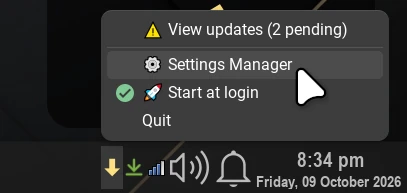
The arrow turns gold when updates are waiting.
One-click updates
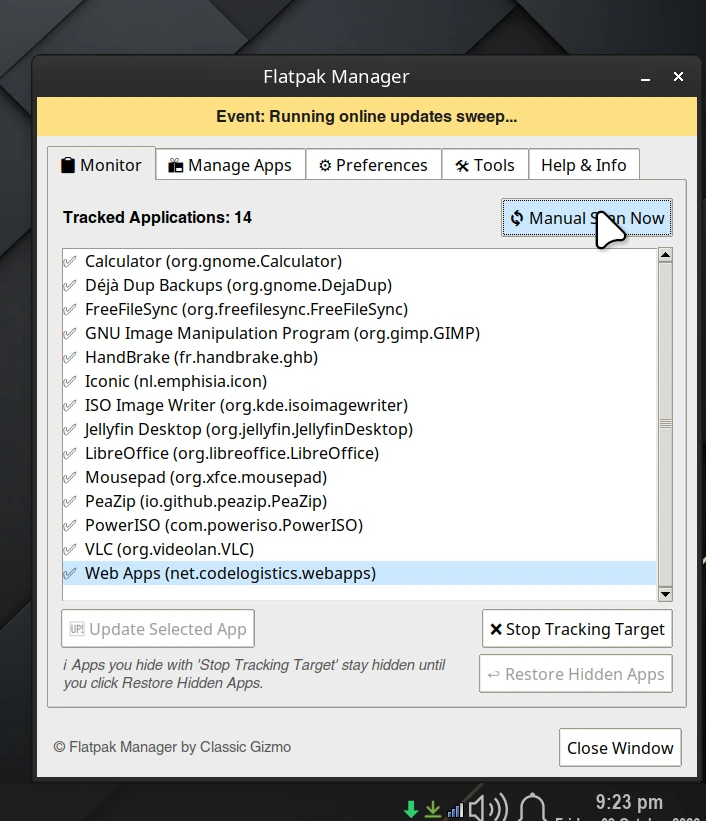
Select several apps and update them together.
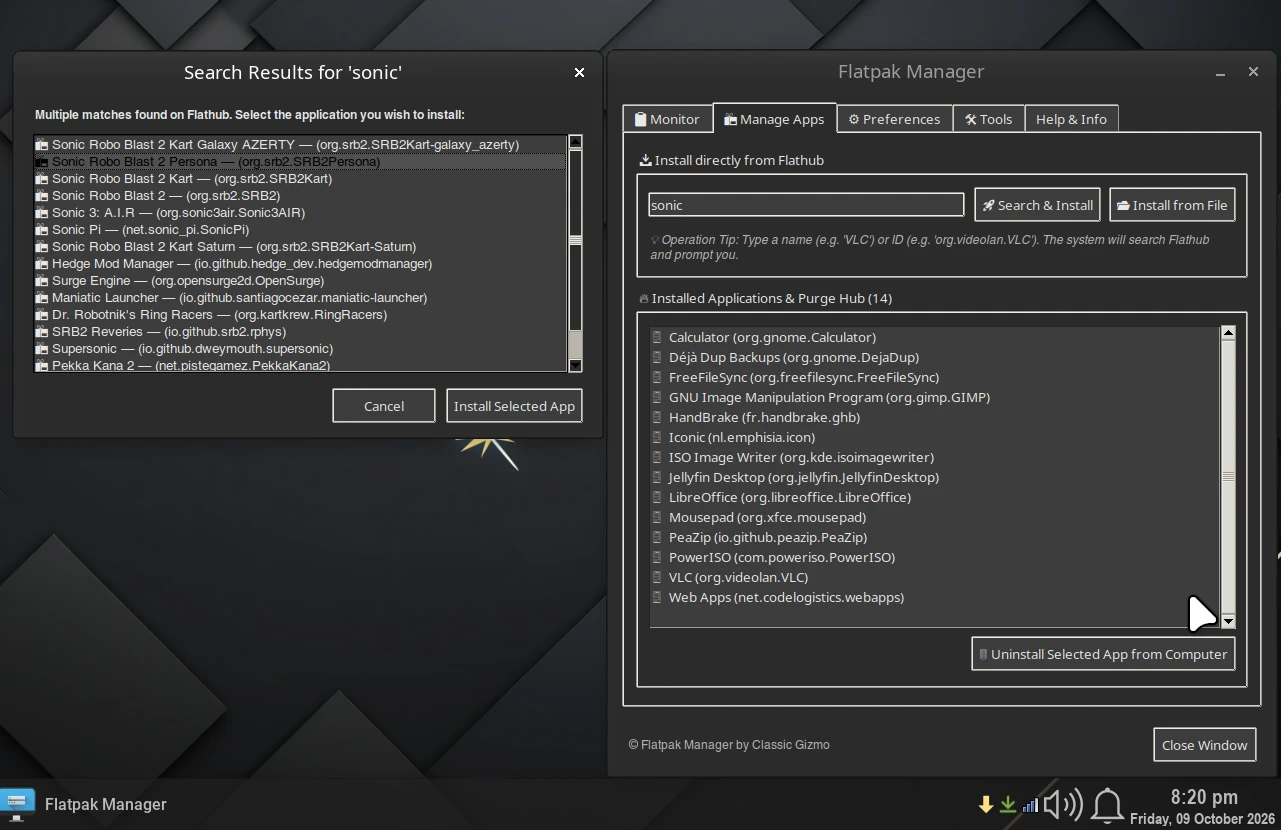
Find & install
Browse Flathub and install new apps from one window.
Clean-up
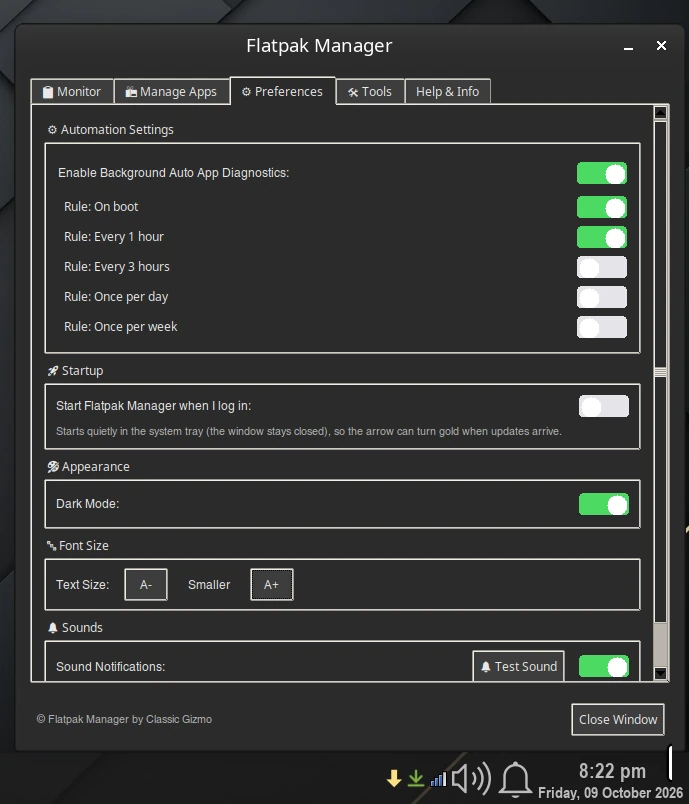
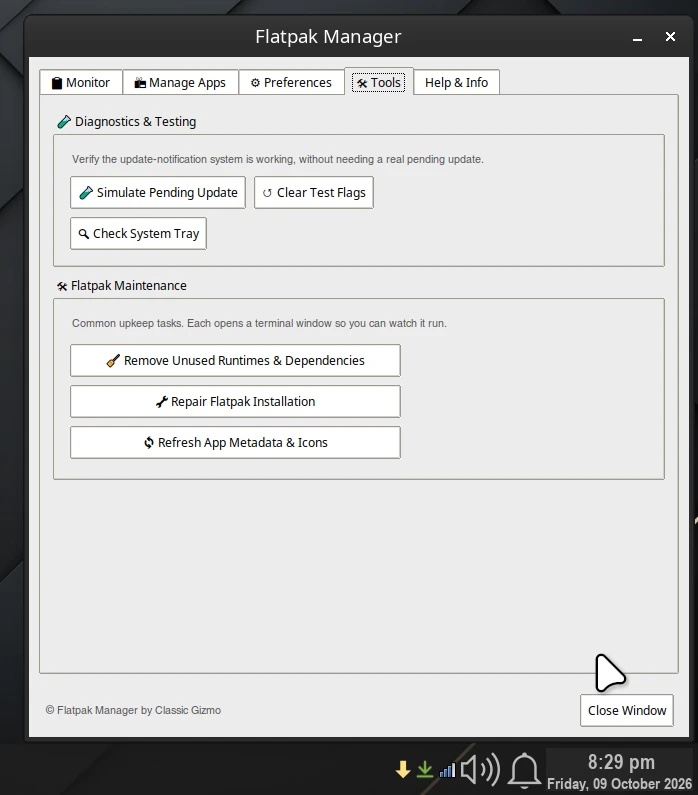
Remove old apps and run routine maintenance.
Free to install and use on up to 6 installations at the same time, for individuals and companies. Using it on more than 6 at once needs a paid license – get in touch.
Every package and repository is signed with the Classic Gizmo Packaging key.
Public key · fingerprint 0708 D84B 0B07 01DB 04FB FEA4 E4D6 4157 873B D78E